Secure tunnels for local development
Your localhost.
Live on the internet.
Expose localhost over HTTPS. Inspect failed requests, understand the cause with AI, and get a suggested fix in one click.
2 active tunnels 3 AI analyses/month
No card required.$ curl -fsSL https://ntunn.com/install.sh | bash$ ntun config add-authtoken <your-key> $ ntun http 3000
The request inspector
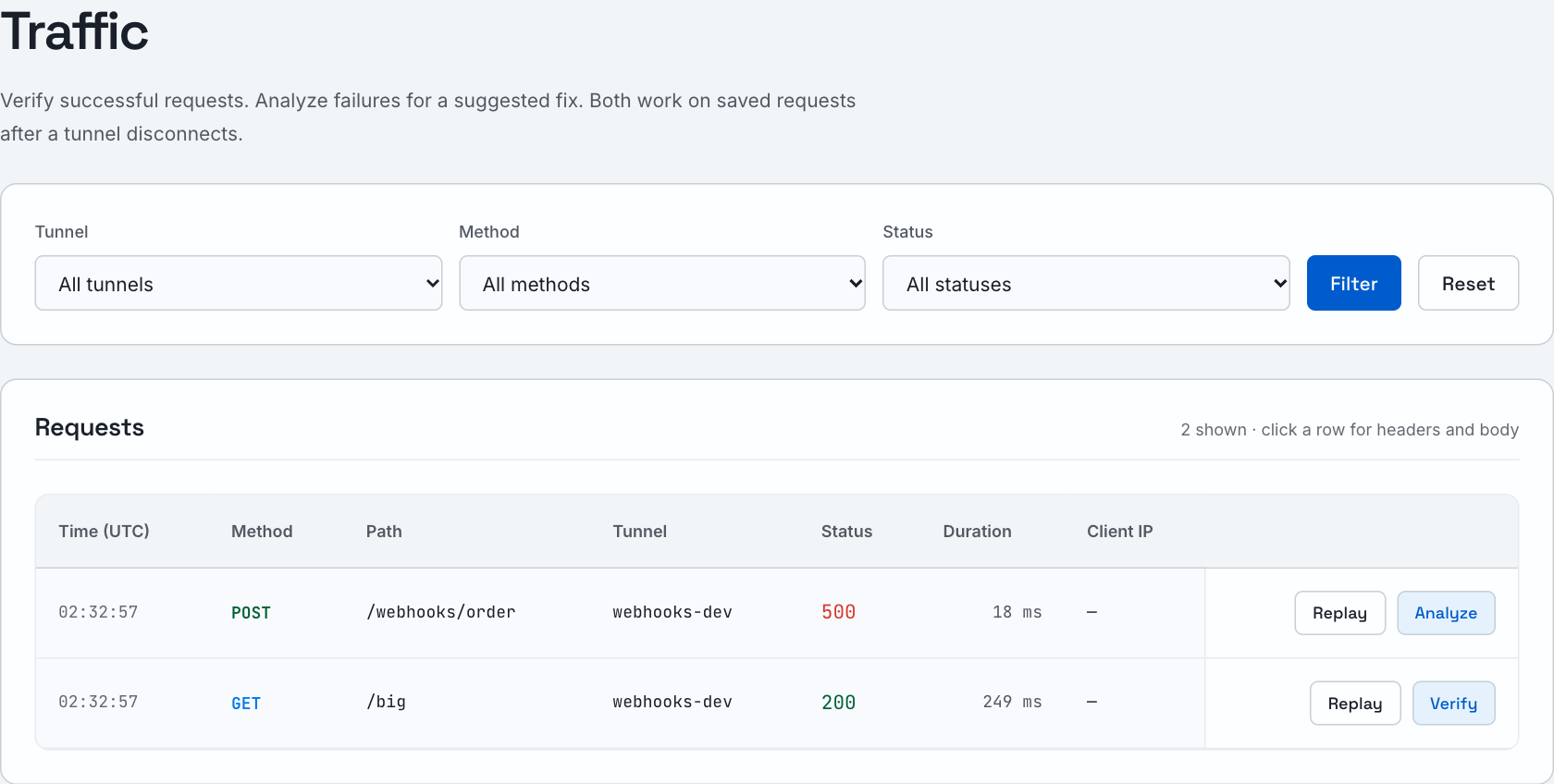
Inspect incoming requests.
Find the request, check its status and timing, and open the captured headers and body. Successful responses get a quick verification; failures can be analyzed in one click.
AI analysis
See the cause and suggested fix.
The analysis opens beside the request context. Read what happened, the likely cause, and a concrete change to review.
There is no source-code form to fill out. ntunn uses the captured request, response, and recent history.
Watch the walkthrough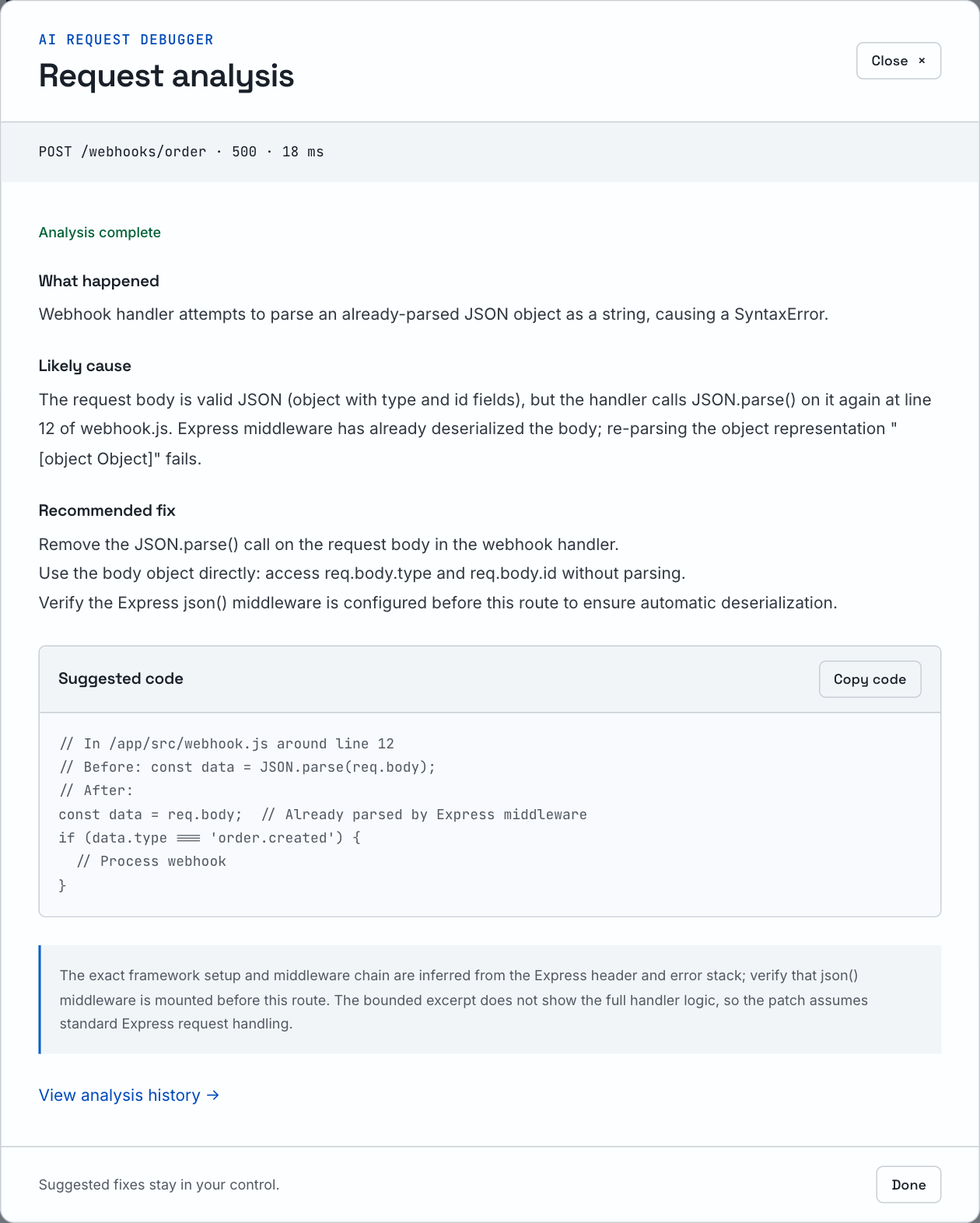
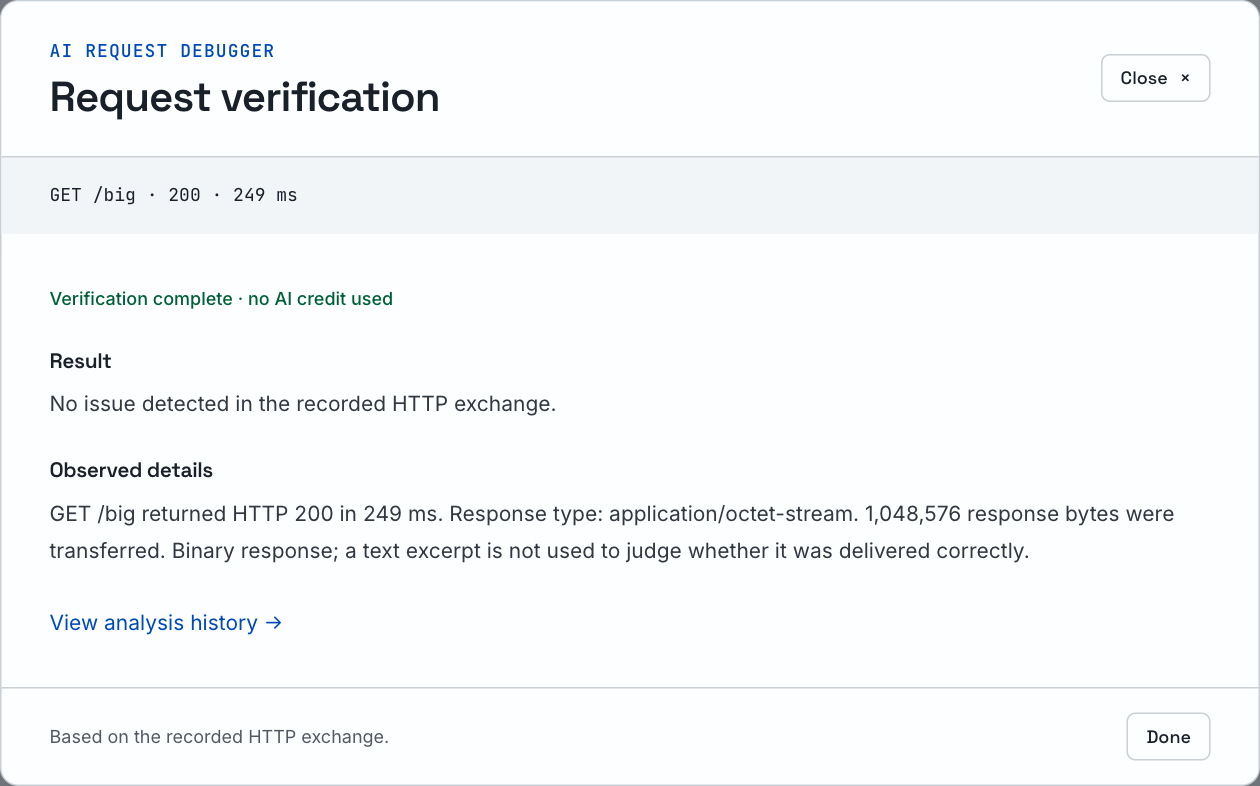
Successful requests
Verify successful responses.
A 200 response is verified against the recorded exchange. If no issue is detected, we say so. No AI credit is used.
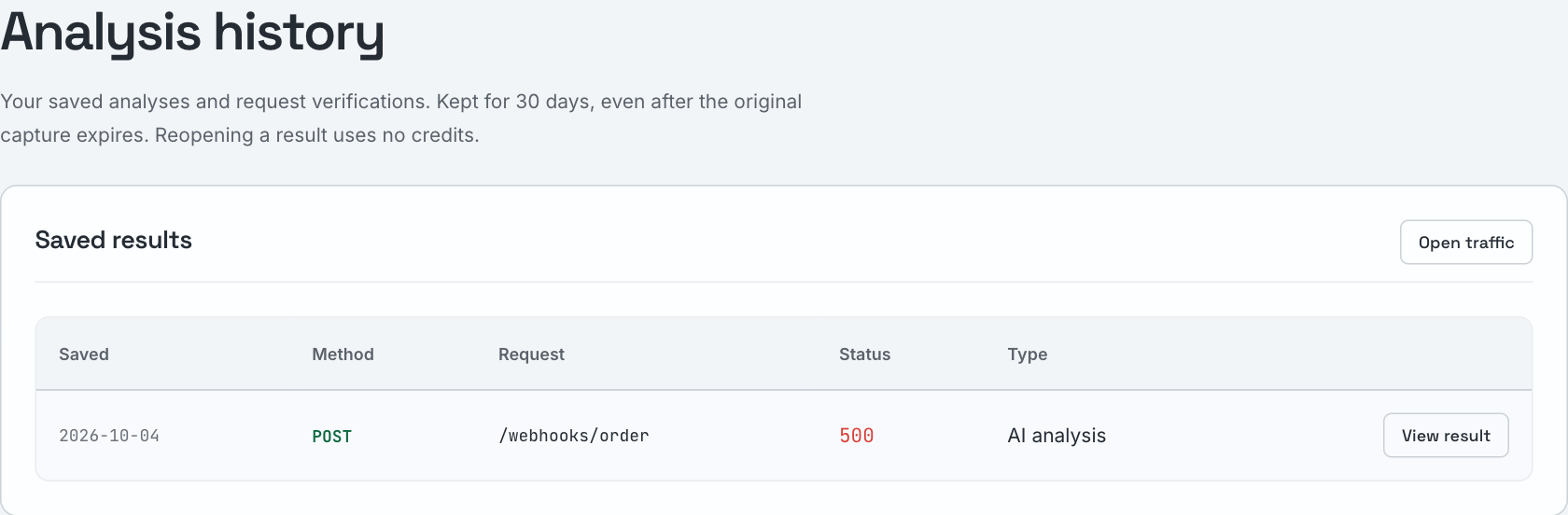
Analysis history
Reopen earlier analyses.
Saved results stay available for 30 days, even after the request capture expires. Open them again without using another credit.
Quickstart
Running in three commands
A single binary. No sudo, no runtime dependencies. Auth is an API key from your dashboard. Built on industry-standard primitives: TLS 1.3, a binary stream-multiplexed protocol with HTTP/2-style flow control, and WSS transport that works through any corporate proxy.
Install the CLI
Download the latest ntun binary for your platform.
$ curl -fsSL https://ntunn.com/install.sh | bashAdd your API key
Create a key under API Keys in the dashboard, then:
$ ntun config add-authtoken <your-key>
Expose a port
Point ntun at any local port — the URL is live immediately. Responses stream, WebSockets included.
$ ntun http 3000
→ https://your-app.tunnel.ntunn.com

$ ntun tcp 5432
→ tcp://tunnel.ntunn.com:10432 # Pro or Team
From failed request to suggested fix.
Click Analyze on a captured request. Get the likely cause and a suggested fix from its headers, payload, response, timing, and recent request history. No code to paste.
Unlimited AI analysis from $7/month. Rate limits apply. You review and apply the fix.
What you get
Everything a tunnel needs, nothing it doesn't
Each feature is tagged with the plan it ships on — no fine print.
Automatic HTTPS
All plansAutomatic HTTPS certificates, issued and renewed for every tunnel. No cert tooling on your side.
WebSocket pass-through
All plansFull-duplex WebSocket tunnels — Vite HMR, socket.io, and ws apps work through your public URL. CLI 1.3+.
Streaming responses
All plansSSE and chunked responses stream through in real time — no buffering, no transfer size cap. CLI 1.3+.
Survives deploys
All plansThe agent keeps two pooled connections to the edge. Lose one to a deploy or node refresh and your tunnel keeps serving. CLI 1.3+.
Per-tunnel subdomains
All plansEvery tunnel gets its own tunnel.ntunn.com subdomain — pick your own name on any plan. Paid plans keep a name reserved while you're offline.
Request inspection
All plansEvery captured request — headers, body snippet, status, timing — in the dashboard inspector. History grows with your plan.
AI debugger & fixer
All plansAnalyze a captured request in one click. Review its likely cause and suggested fix. Unlimited AI analysis on every paid plan; rate limits apply.
Request replay
ProReplay any captured request back to your local service with one click while you debug.
TCP tunnels
TeamExpose raw TCP — databases, SSH, game servers — with ntun tcp 5432.
Access controls
TeamRestrict tunnels by IP allowlist (CIDRs) or gate them with HTTP basic auth.
Plans
Start free. Upgrade when you outgrow it.
Every plan includes automatic HTTPS, named subdomains, request inspection, and the AI debugger. Free includes 2 active tunnels and 3 AI analyses/month. Paid plans include unlimited AI analysis from $7/month, with workspace rate limits.
- 2 active tunnels
- Named subdomains
- Request inspection · 1h history
- AI debugger · 3/month
- Automatic HTTPS
- 10 active tunnels
- Persistent URLs (reserved subdomains)
- Request inspection · 24h history
- Unlimited AI analysis
- Everything in Free
- Unlimited active tunnels
- TCP tunnels & access controls
- Custom domains & request replay
- Single-user workspace
- 30-day request history & audit logs
- Priority email support
- Unlimited AI analysis
- Everything in Developer
- Pro features for a shared workspace
- 3 seats included · +$5 per extra seat/month
- Role-based access control
- Admin, developer & viewer roles
- Unlimited active tunnels
- TCP tunnels & access controls
- 30-day request history & audit logs
- Priority email support
- Unlimited AI analysis
Monthly prices in USD, excluding tax. Applicable tax is added at checkout.
Roadmap
Not shipped yet
Planned improvements. These features are not included in current plans.
- OIDC tunnel protection
- Webhook verification
- Traffic policies
- Kubernetes operator
Run one command.
Get a public URL.
Secure, reliable tunnels for local development.